#
What is AzTube Downloader?
Published 2022-02-03
AzTube Downloader is a project that consists of a browser extension and an app that communicate with each other.
Über die Extension können YouTube Videos an das Handy übermittelt werden und auf diesem dann heruntergeladen werden. Die Qualität bzw. Art des Inhalts wird über die Extension festgelegt und ebenfalls an das Handy übermittelt.
#
How to use AzTube Downloader
To use AzTube Downloader the following requirements must be met:
If these requirements are met, a connection between the devices can be established.
#
How to link your Devices
You can link your devices with the following steps:
- Click on the AzTube icon in your browser
- Now a popup should have appeared
- For easier use it is recommended to pin the extension
- Now click on the "Add Device" image in the popup that appears
- Now instead of the "Add Device" image a QR code should have appeared
Screenshots 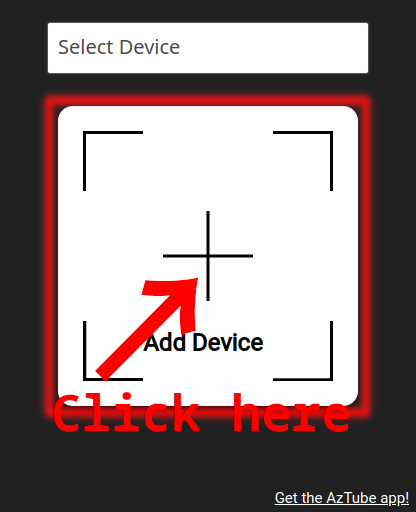
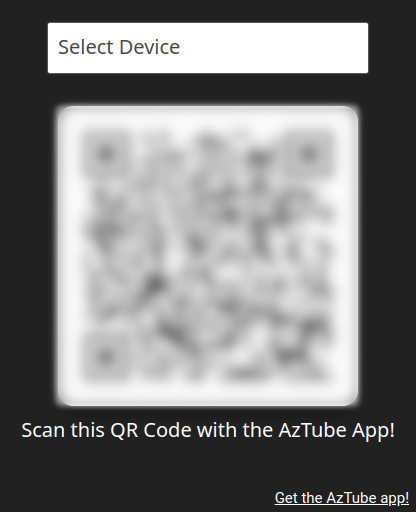
- Now instead of the "Add Device" image a QR code should have appeared
- Now open the AzTube Downloader app on your phone and click on "Link Device"
- Authorization to use the camera is required for the linking process
- You should now see a QR code reader
- Scan the QR code that appeared in the extension in 2.
- Now you should be on a blank dashboard page
#
How to send videos to my phone
- Go to YouTube and start a video of your choice
- There should be a download icon at the height of the subscription button
- Click on the download icon added by the extension (not the one from YouTube)
- Now a popup should have opened
- Select the desired download type and quality in the popup window
- You can also change the title and author/performer
- Now click on Send and the video data will be sent to your cell phone
- The download should appear on your phone within a few seconds
#
How to download videos/audios
When downloads are listed in your dashboard you have the following options to download:
- If background downloading is enabled, the download will start automatically even if the app is not open.
- Click on the download icon next to the video and the download will start
#
Privacy and Terms
Terms and Conditions
https://www.app-privacy-policy.com/live.php?token=hYXz1idDYexlrASbTrUfbMl8XRrDjrTh